Guided 20-20-20 rhythm
Automatically move between focus time and eye breaks with clear timing and minimal friction.
Follow the 20-20-20 rule with a visual rhythm that feels calm, not disruptive. EyeCare combines a focused timer, eye-rest prompts, Apple Watch sync, and long-term insights in one place.
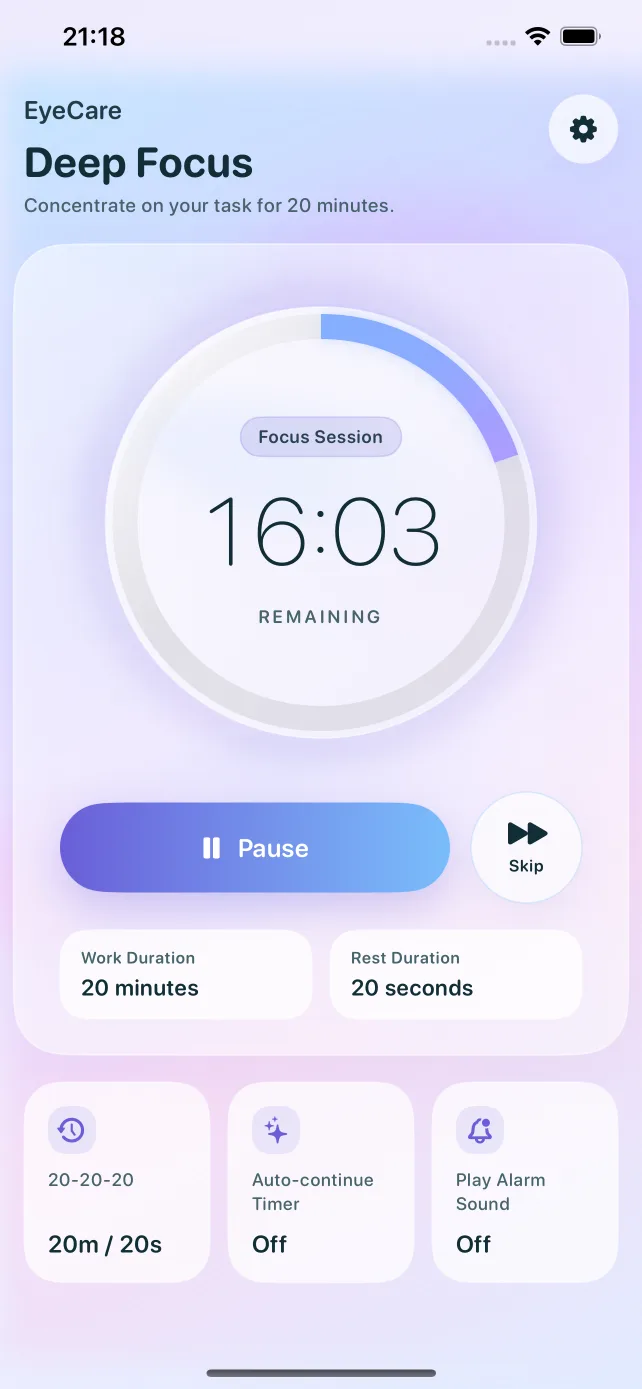
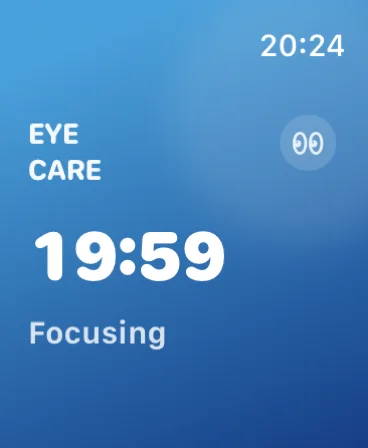
EyeCare turns a simple rule into a repeatable routine across your devices.
Automatically move between focus time and eye breaks with clear timing and minimal friction.
Stay aware of your break cycle from your wrist with haptics and synced state.
Review your focus and rest history with day, week, and month views.
Adjust work and rest durations to fit your workload while keeping the habit intact.
Keep usage data consistent across devices when you choose to enable cloud save.
Use EyeCare in bright offices or late-night sessions with a theme-aware interface.
A practical habit loop designed to support regular screen breaks.
Start a session and stay on task while EyeCare keeps the rhythm in the background.
When the timer ends, EyeCare prompts you to rest your eyes and shift your focus into the distance.
Return to work refreshed, or let the next session begin automatically if that suits your routine.
A closer look at the actual EyeCare experience on iPhone.
A calm countdown surface that keeps time visible without feeling harsh.
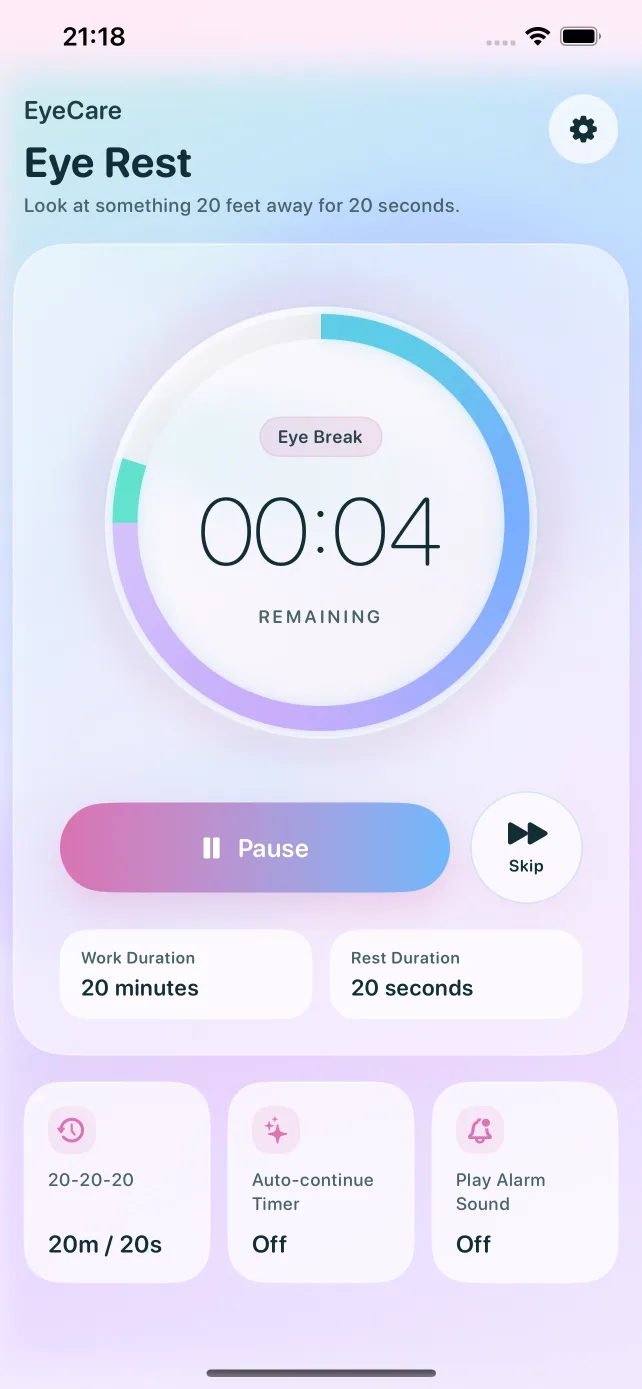
Gentle transitions make eye breaks feel intentional instead of abrupt.
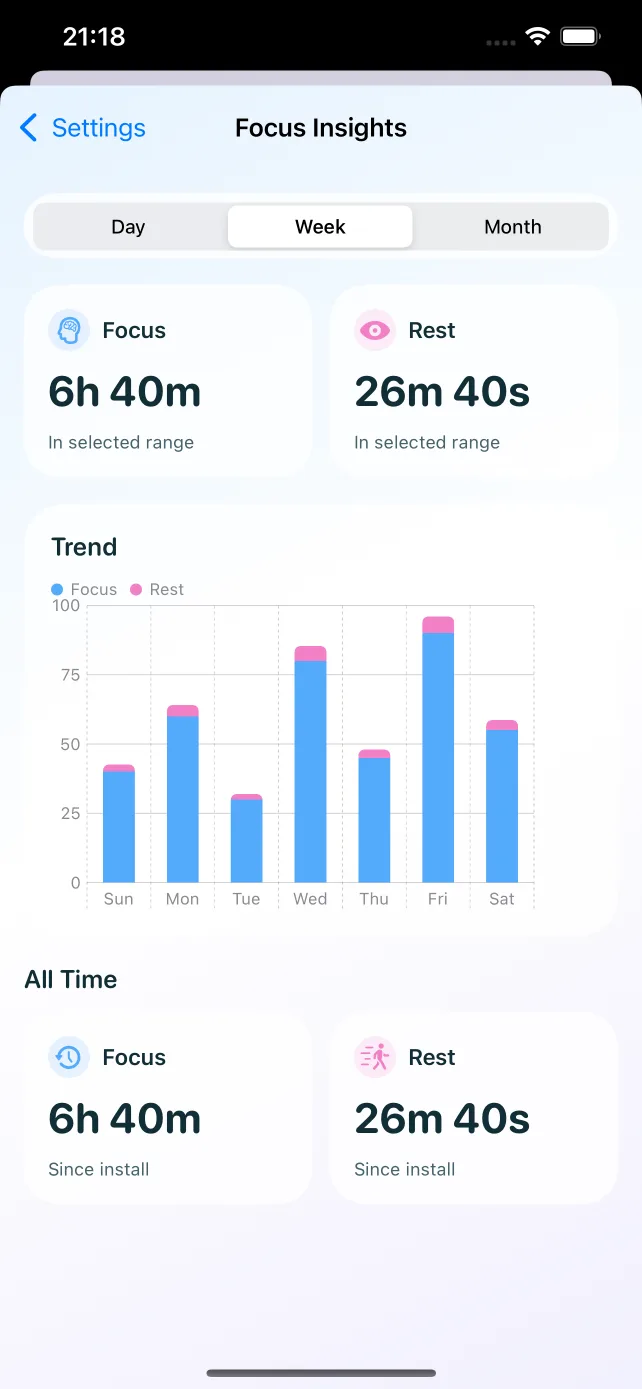
Track how much focused work and rest you have actually completed.
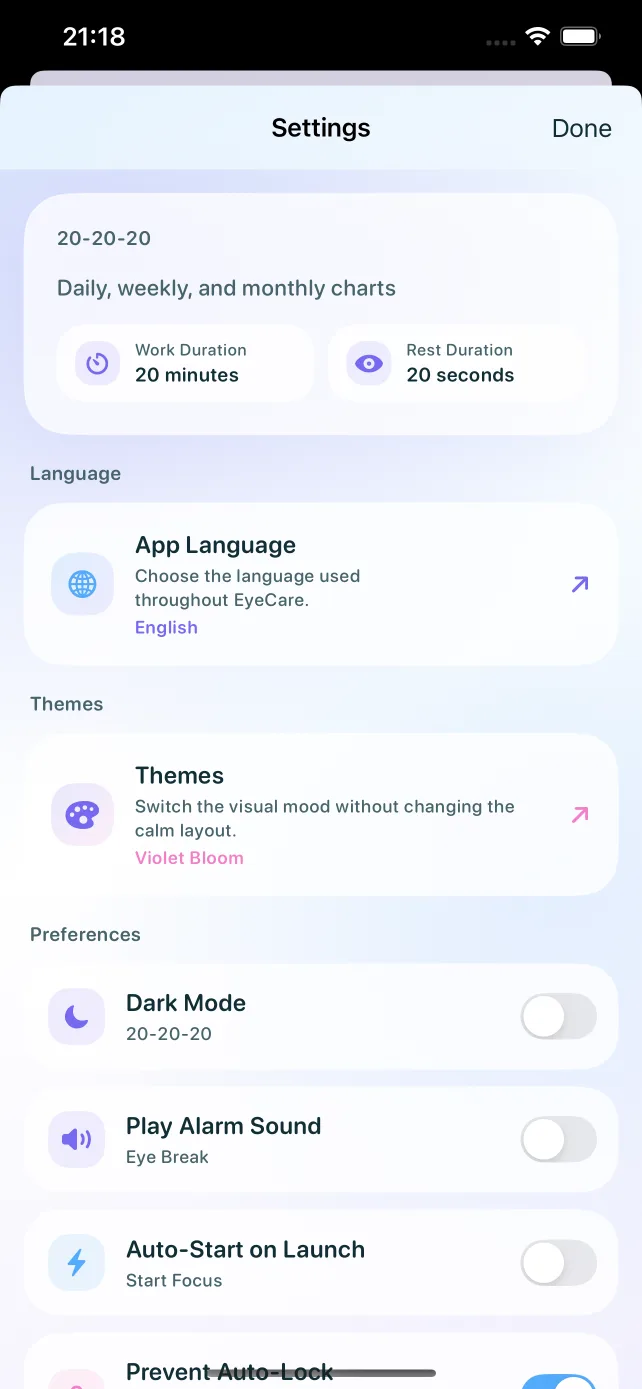
Tune timing, auto-start, sound, and optional iCloud sync from one place.
Yes. Work duration can be adjusted from 15 to 60 minutes, and rest duration from 20 to 60 seconds.
Yes. The app includes Apple Watch support for synced state and haptic-friendly reminders.
Usage data stays on device by default. Optional iCloud sync can be enabled from settings.
Start with the 20-20-20 rule and keep a healthier pace through the workday.

The QR code opens the EyeCare App Store page directly.